 FlowMat
Every student's class, built around what their body needs.
FlowMat builds the class from each student's age, level, goals and medical conditions. You decide, adjust and teach; the app makes sure nothing it suggests can hurt them.
It is in closed testing on Google Play. First join the testers group with your Gmail account, then open the download button from your Android phone.
- Free with 2 students
- Backup in your Google Drive
- No ads
- English and Spanish
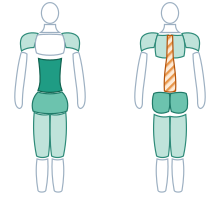
- Abdomen14 min
- Hips9 min
- Glutes8 min
- Protect: spineosteoporosis
Pick a condition and see what FlowMat does
This is data from the app's catalog. Tap a condition: you'll see how many exercises are never suggested, which come with a warning and what guidance the teacher gets.
Building a different class for every student takes time. FlowMat does that work.
Add your student
Age, level, goals and medical conditions: low back pain, osteoporosis, pregnancy, joint replacements and 40+ more. After recent surgery or childbirth, FlowMat also asks how long ago.
FlowMat builds the program
An ordered list of classes, with a date if you want one. Each class has warm-up, cardio, core pilates, core work and stretching, for the length and equipment you choose.
Teach it step by step
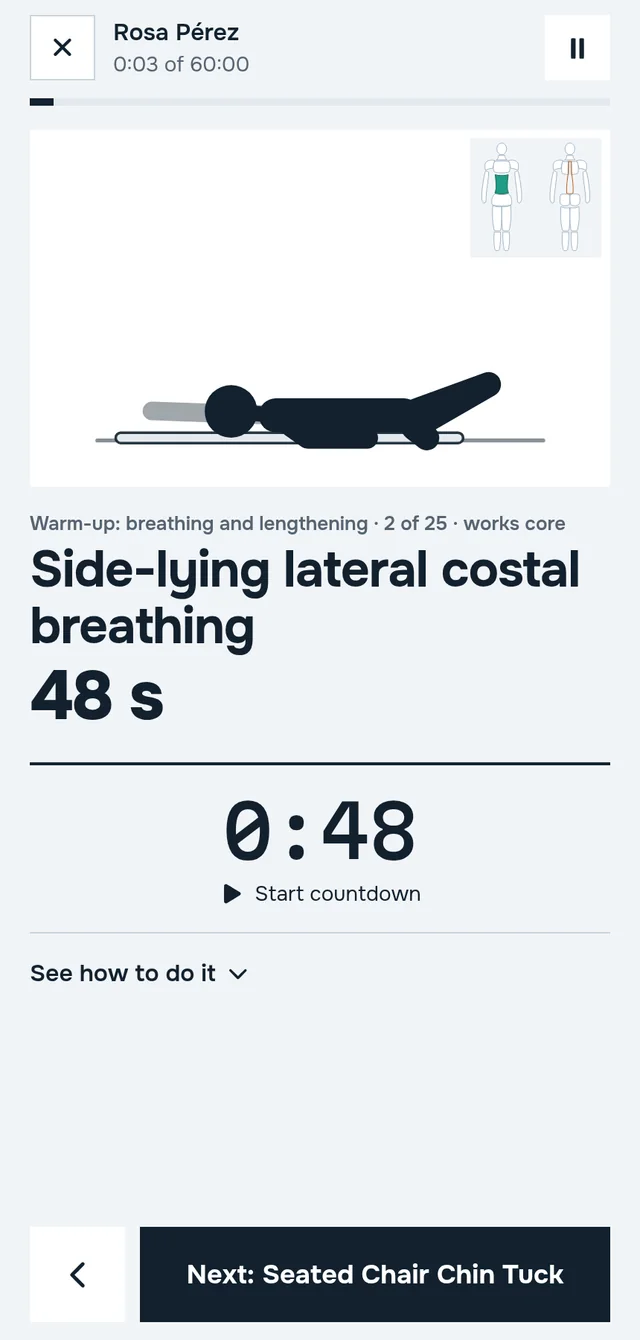
Class mode shows one exercise at a time, large, with drawing, dose and timer. Change anything before or during class.
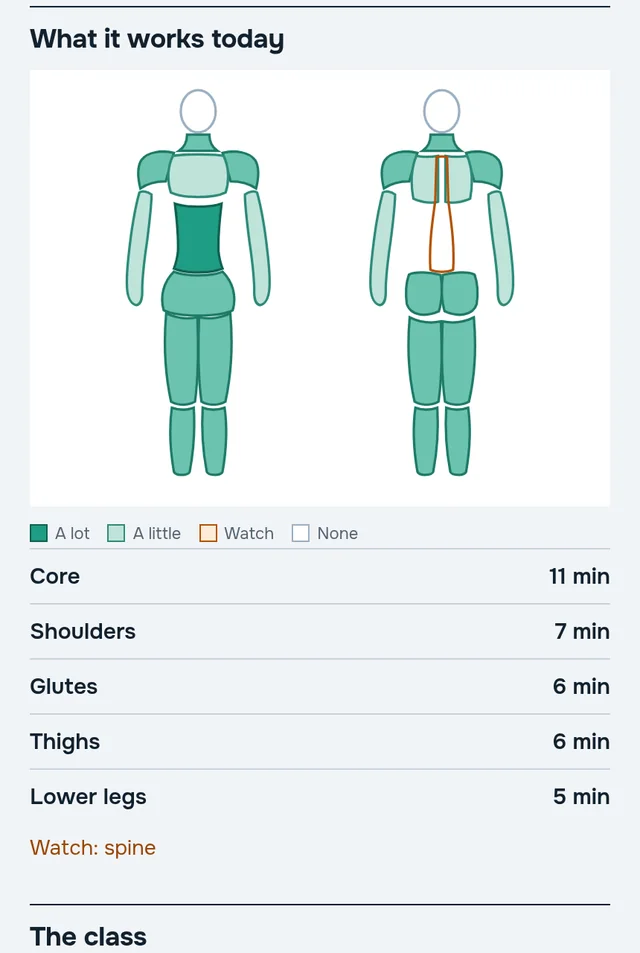
See at a glance what each class works
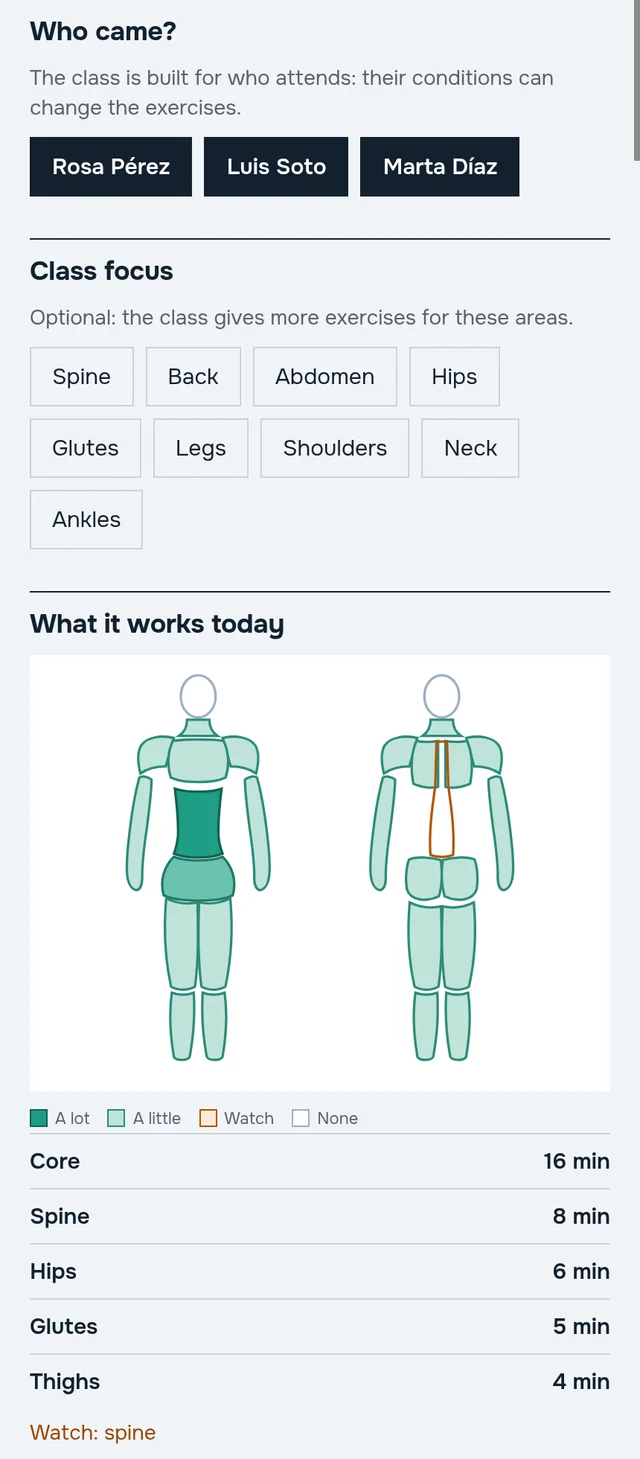
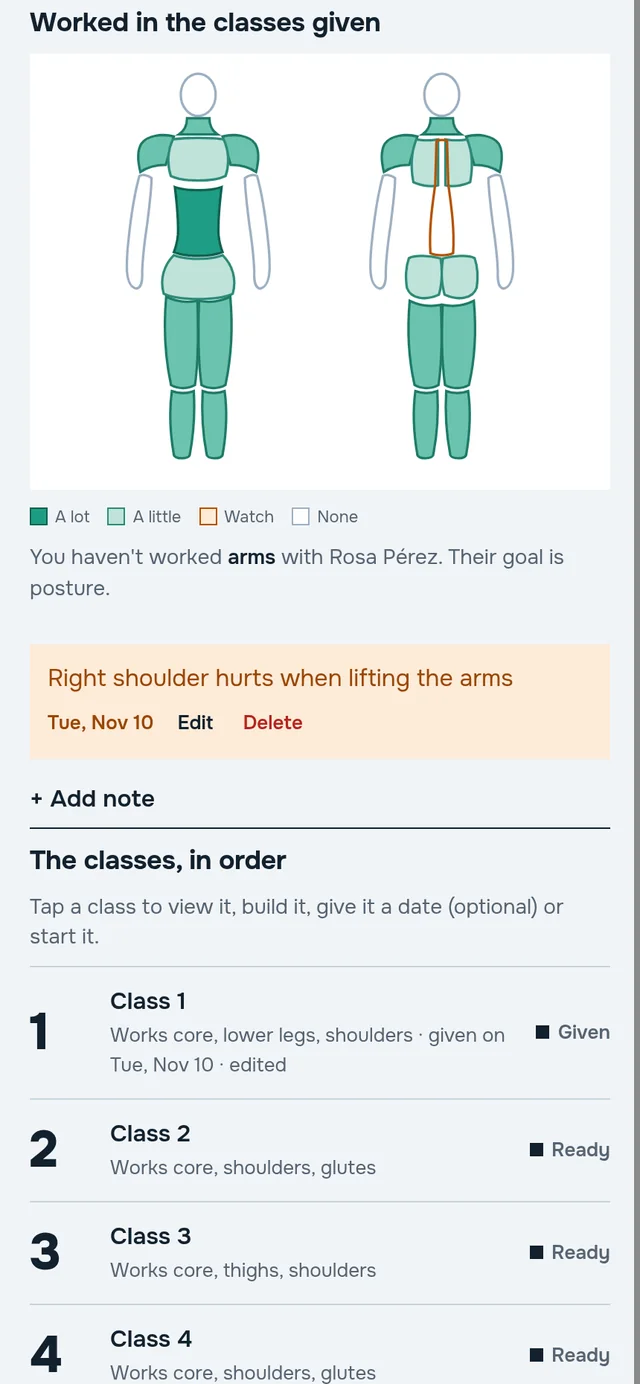
Every class and every program is summed up in a body map, front and back. Areas are shaded by how much they're worked; the ones to protect because of the student's conditions are striped in orange.
- Balance the program. Spot right away if you've been working the same areas for weeks.
- Protect what matters. The spine in low back pain or an injured shoulder stay marked in every class.
- Pick a focus. Ask for a class centered on glutes, back or hips, and FlowMat spreads the exercises.
In a group, each student does their own version
Group classes are part of the paid plans. The class follows the group's most restrictive condition, and every exercise says who does a gentler or a harder version. If someone missed, rebuild the class with just the people who came.
- Gentler for care. Anyone with a caution for that exercise sees their variation, by name.
- Harder for level. Someone above the group's level gets the version that challenges them.
- Notes per student. "Right shoulder hurts when lifting arms" shows up in that day's class.
Leave the phone on the mat and teach
One exercise at a time, big and clear, with the dose, the timer and the student's notes at the start. It works offline and with the phone in landscape.
- The drawing moves. It shows the start and end position of each repetition.
- What it works, always visible. A small map in the corner of every exercise.
- Warnings at the right moment. "For Rosa: avoid loaded spinal flexion" appears before the exercise.
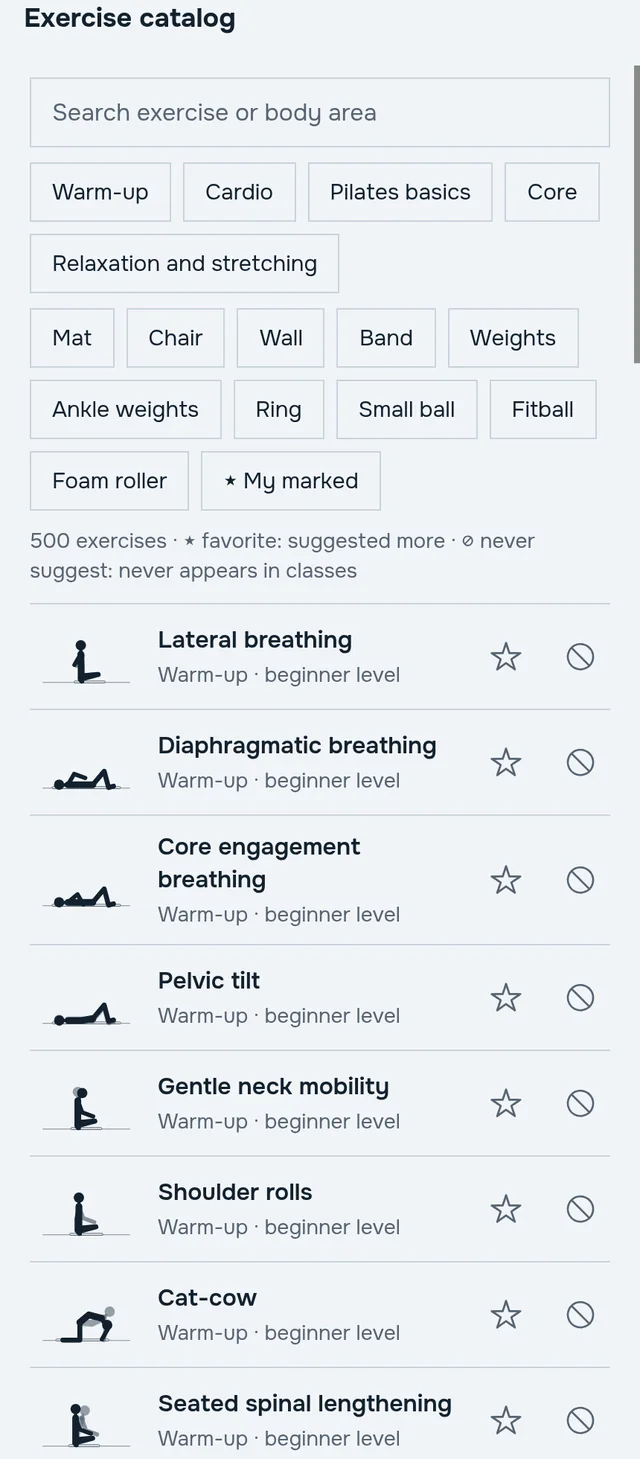
500 exercises, reviewed with medical criteria
Mat, chair and wall, with band, weights, ring, ball, fitball, roller and ankle weights. Every exercise has its drawing, dose, cues and the conditions it is avoided or done carefully with.
The safety rules were reviewed by a medical committee: for example, after abdominal surgery or childbirth no core work is suggested for the first 8 weeks, and jumps are removed from age 70.
Start free. Pay by how many students you have.
Safe classes, the body map, class mode and data backup are on every plan, free included. Paid plans add more active students and group classes.
Free
2 active studentsUS$0
Individual classes, to try it calmly
Up to 20
20 active studentsUS$7.99 /month
or US$79.99 a year
Up to 50
50 active studentsUS$12.99 /month
or US$129.99 a year
51 or more
no limitUS$19.99 /month
or US$199.99 a year
Monthly or yearly subscription, cancel any time. Prices are in US dollars; Google Play shows the final price in your currency.
Your students' data stays with you
Backup in your Drive
If you sign in with Google, the backup is saved in a hidden folder in your own Google Drive. FlowMat keeps no copy on its servers.
Only the app's folder
FlowMat asks for access to that folder only, which only the app can open. It doesn't read or touch the rest of your Drive.
No ads, no selling data
No advertising and no tracking. Switch phones, sign in, and everything comes back.
Details in the privacy policy.
Pilates by condition: what FlowMat avoids and what it does with care
Every medical condition has its own rules in FlowMat. These guides show, with real catalog data, which exercises are not suggested, which come with a warning and how the class is adjusted.
- Osteoporosis or osteopenia
- Lumbar disc herniation or bulge
- Low back pain (no herniation)
- Pregnancy (second and third trimester)
- Diastasis recti
- Weak pelvic floor / incontinence / prolapse
- High blood pressure
- Knee osteoarthritis
- Hip replacement (posterior approach)
- Neck pain or cervical herniation
- Shoulder (rotator cuff / impingement / frozen shoulder)
- Scoliosis
- Fibromyalgia
- Postpartum (vaginal birth)
- See all 42 conditions →
Frequently asked questions
Who is FlowMat for?
Pilates teachers who give private or group classes, on their own or at a studio. It is not an app for students to train alone, nor a booking or billing system: it focuses on planning each class well.
Does it replace medical clearance?
No. FlowMat helps you plan, but it does not replace a health professional's judgment. That is why it stores the date of the student's medical clearance and warns you when it is about to expire.
Does it work for reformer?
For now FlowMat covers mat, chair and wall, with equipment such as band, weights, ring, ball, fitball, roller and ankle weights. Reformer is planned for a future version.
Can I change the class it builds?
Yes: swap an exercise, change the order or the reps, add or remove. You can also mark favorite exercises and others you never want suggested.
What is an active student?
One with a program in progress. You can archive someone who no longer comes and the spot is freed; their data is kept.
What if I lose my phone?
If you signed in with your Google account, the backup is in your Drive and you restore it on the new phone. Without an account, data stays only on the phone; you can also save a backup file.
Do I need internet?
Not to build or teach classes. Internet is used for the backup to your Drive and to manage your plan.
Is there an iPhone version?
For now FlowMat is Android only.